Interfaces
for fully digital business processes
SAP
GAEB
Microsoft Dynamics
Salesforce
Excel / CSV
OData
COMPREHENSIVE INTEGRATION OPTIONS
With CPQ software, products can be configured according to the individual needs of customers, prices can be reliably calculated and offers can be created quickly and precisely.
The whole thing works best when the CPQ software can be seamlessly integrated into the existing system landscape. Because if you can also retrieve the necessary data from other systems or forward it to other systems, the entire process becomes really efficient.
CONTINUOUS PROCESSES
Thanks to the comprehensive integration into your existing software architecture, you can use calcIT to create consistent digital processes in your company.
AUTOMATED DATA TRANSFER
You can transfer all types of data, such as master data, from one system to another both at the push of a button and automatically.
FLEXIBLE INTEGRATION
Thanks to our powerful API, we can connect your systems as desired — regardless of whether they are ERP, CRM. PLM or other software solutions.
Bidirectional Interface Between calcIT and SAP
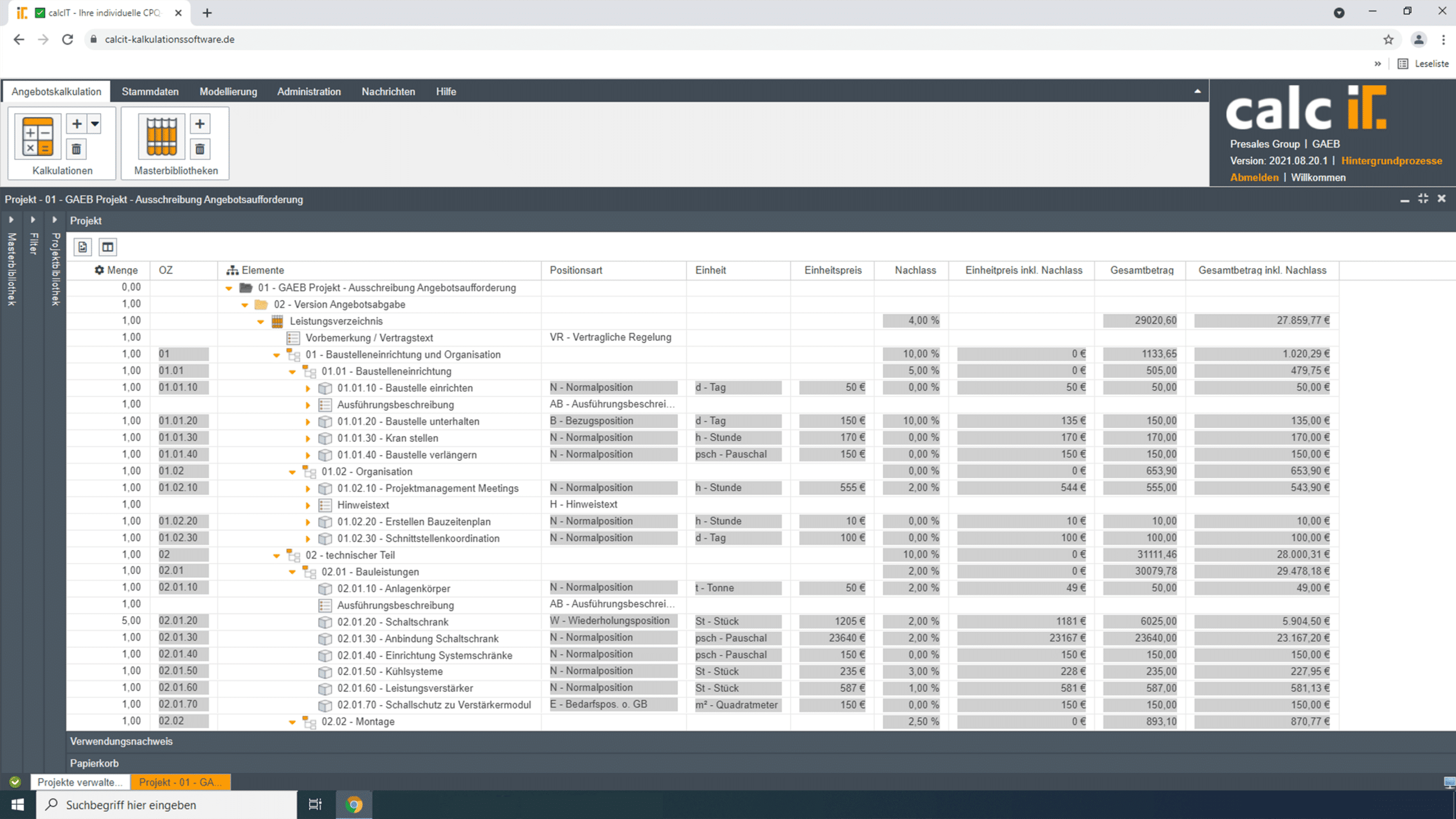
calcIT can be optimally integrated into your existing SAP system using process integration. Data and structures from both systems can be easily and flexibly transferred bidirectionally without the use of a third-party interface. This means that an integrated and seamless digital business process can be mapped from the first customer inquiry through the quotation calculation and order creation to the ongoing calculation and the final project execution.
Through the perfect interaction of calcIT and SAP, we create an integrated overall system that can 100% cover individual CPQ and ERP requirements.
EASILY SYNCHRONIZE DATA
Much of the data stored in the SAP system is also required for calculation. Bidirectional synchronization of material master data, contact data and transaction data saves you the effort of double data entry.
SYNCHRONIZATION OF CONFIGURATION RESULTS
By synchronizing the configuration results with quotes and orders in the SAP system, populating data into SAP is made easy ensuring that products offered by sales are configurable and presented with an appropriate price point.
COMPARE ACTUAL AND PLANNED VALUES
Compare the planned values in calcIT with the actual values in your SAP system in order to easily make “course corrections” in your business strategy.
calcIT & SAP
The bidirectional interface between calcIT and the SAP system ensures targeted and holistic communication. Your data is automatically transferred from calcIT to the SAP system at the push of a button. Synchronizing both business systems ensures that your organization has the most up to date data possible.
Additional interfaces Fully integrated for maximum efficiency
Flexible Choice of output calcIT & GAEB
The GAEB interface allows you to automatically exchange data between calcIT and GAEB. The list of services edited with calcIT can then be exported in the desired format fto submit a quote.